
How to export assignment transcripts
Goal
Download your students' assignment transcripts — for records, review, or AI analysis.
Steps
-
Open the assignment's Teacher Dashboard (see How to review student AI conversations).
-
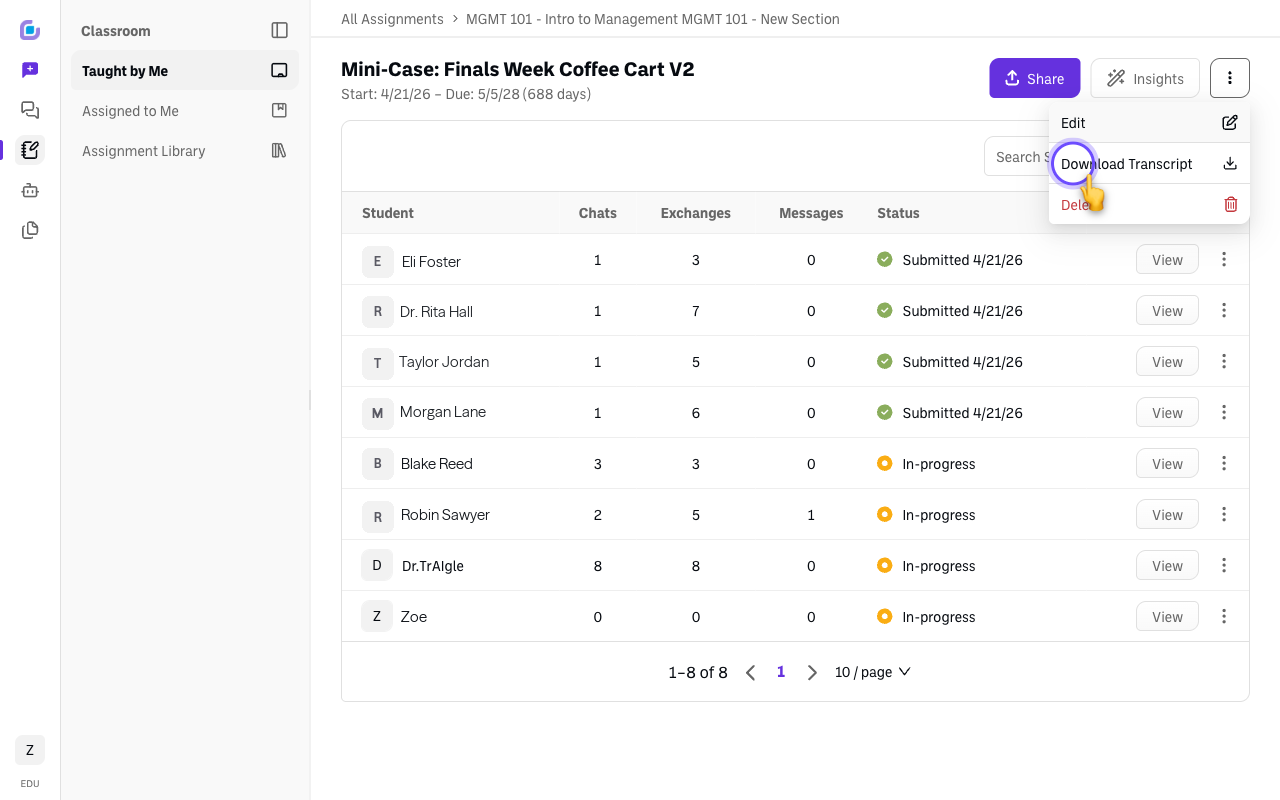
Open the assignment's ⋮ menu — "Actions for this assignment," top-right next to Insights — and choose Download Transcript. This exports the student transcripts so you have a copy outside BoodleBox. (Edit and Delete sit in the same menu.)
-
(Optional) Analyze them with AI. You can upload an exported transcript into another BoodleBox chat and ask a model to summarize themes, spot where students struggled, or check against a rubric.
Verify it's working
- The transcript file downloads and opens with the student conversation content.
Still stuck?
Email success@boodle.ai — typical response within 8 business hours.