
How to cancel your subscription
Goal
Cancel your BoodleBox subscription.
First: check which subscription you're cancelling
You can hold two separate subscriptions — one on your personal account and one on a team workspace. They're independent, so cancelling one leaves the other running.
| To cancel… | Go to |
|---|---|
| Your personal subscription | Personal Settings → Billing & Plans |
| Your team's subscription | Workspace Settings → Billing |
If you're cancelling because you just set up a team workspace, it's your personal subscription you want to cancel — a team plan already includes a seat for you, so the personal one is redundant.
Quick path
- Click your initials (bottom-left) and go to the right billing page for the subscription you're cancelling.
- Click Manage Subscription.
- Follow the prompts to cancel.
Step-by-step
-
Open the right billing page. Click your initials at the bottom-left. For your personal subscription, choose Personal Settings → Billing & Plans. For a team subscription, switch into that workspace, then click your workspace name under Workspace Settings and choose Billing.
-
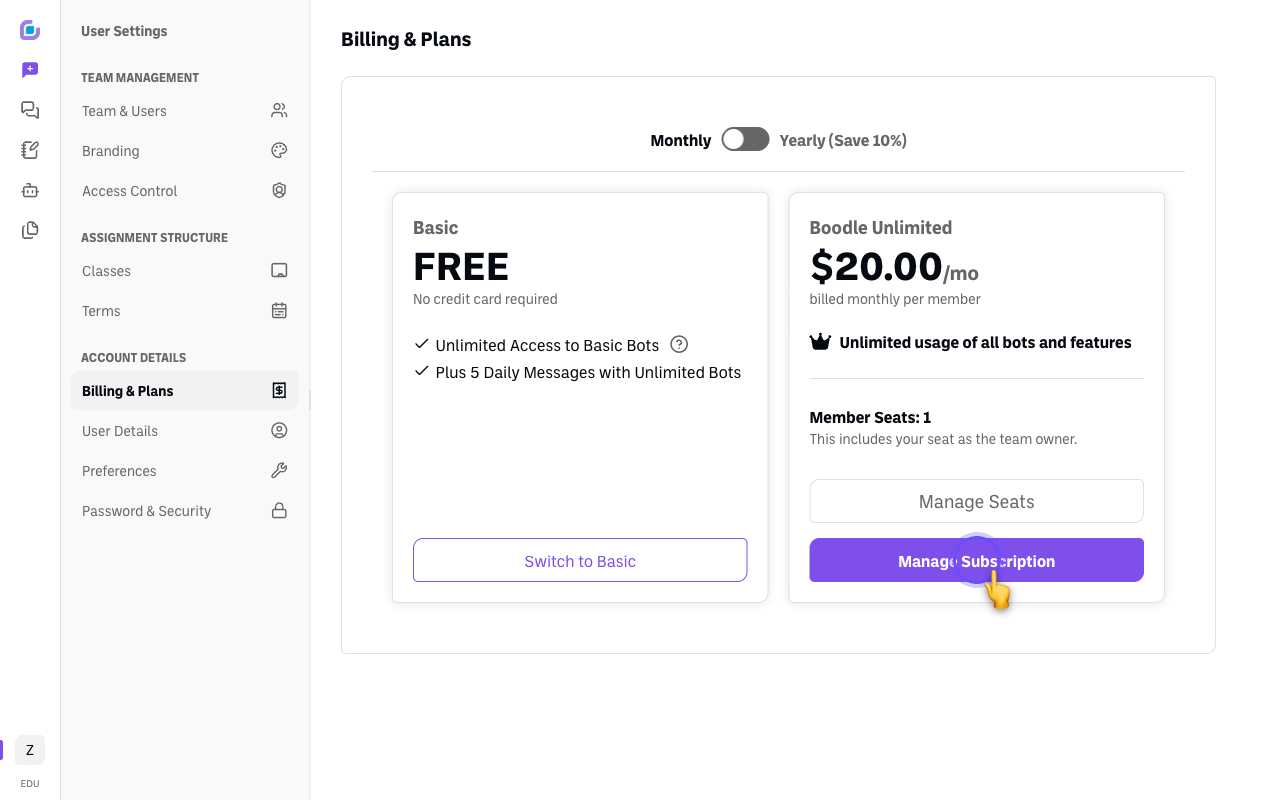
Click Manage Subscription. This opens your billing portal (powered by Stripe). It only appears on a paid plan — if you don't see it, you're on the free Boodle Basic plan and there's nothing to cancel.
-
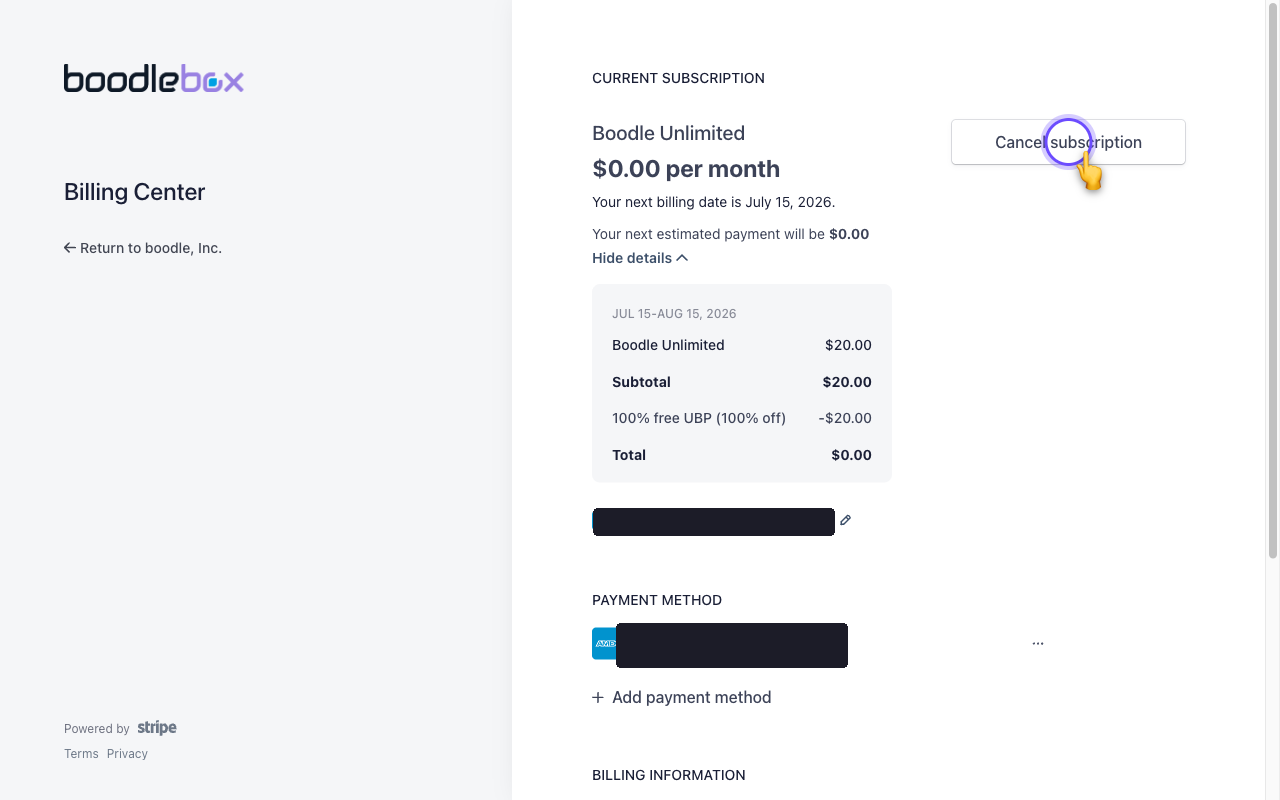
Click Cancel subscription in the billing portal (top-right, next to your current plan), then confirm. Your plan stays active until the end of the current billing period.
Verify it's working
- The billing page you cancelled on shows the subscription as canceled or set not to renew.
- If you cancelled a personal subscription while keeping a team plan, check both pages so you know exactly which subscriptions are still active.
Still stuck?
If you don't see the option, or you're on an institutional plan, email success@boodle.ai — typical response within 8 business hours. For refunds, see Refund Policy.