
How to report a bug
Goal
Tell the BoodleBox team about something that isn't working.
Two ways to report
-
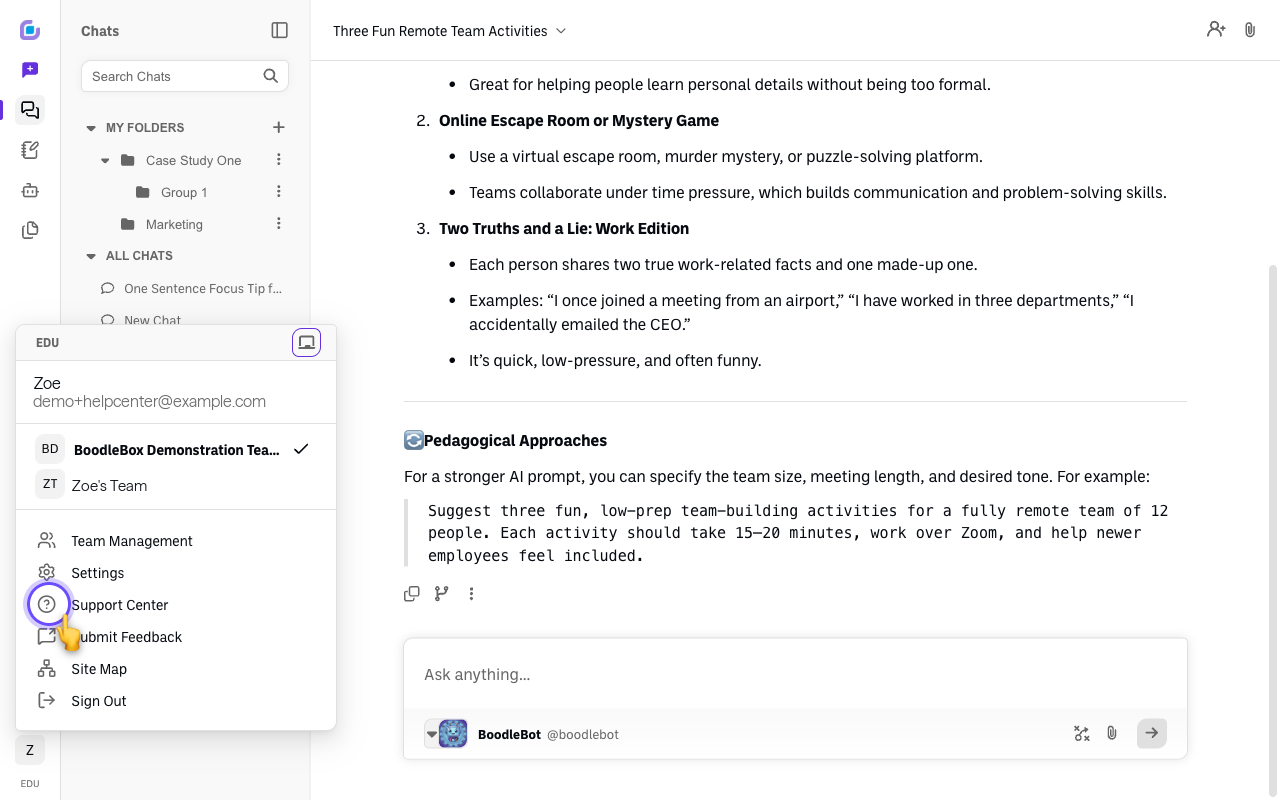
In the app — use Submit Feedback. Click your initials at the bottom-left and choose Submit Feedback. It opens a short form where you can describe what went wrong and send it straight to us. This is the fastest way to report a bug.
-
By email. Email success@boodle.ai.
Submit Feedback vs. Support Center
The same menu has a Support Center entry right above Submit Feedback, and they do different jobs:
| Menu item | Use it for |
|---|---|
| Submit Feedback | Reporting a bug, or suggesting an improvement. Opens a form that comes to us |
| Support Center | Browsing help articles and guides when you want to look something up yourself |
If something is broken, you want Submit Feedback. Support Center won't get your report to anyone.
What to include
The more detail, the faster it's fixed:
- What happened and what you expected.
- Steps to reproduce it, if you can.
- Screenshots or the exact error message.
- The chat link or page where it happened.
Still stuck?
Email success@boodle.ai — typical response within 8 business hours.