
How to add a co-teacher or TA to a class
Goal
Add a co-teacher or teaching assistant (TA) to one of your classes.
Looking to add students instead? See How to enroll students in a classroom.
The two roles
Teacher — a true co-teacher. Full access to the class, same as the person who created it.
Assistant — view-only teacher access. Can see everything (rosters, submissions, student activity) but can't change the class itself.
See Understanding classroom roles in BoodleBox for how these compare to Student and External Student.
Quick path
Go to Classroom → Taught by Me and open your class.
Click the Enrollments tab, then Add Student.
Add the person by email, and set their role to Teacher or Assistant.
Step-by-step
Open your class. Go to Classroom → Taught by Me and click into the class you want to add someone to.
Open Enrollments. Click the Enrollments tab, then Add Student — this same flow is used for anyone joining the class, not just students.
Add the person. Enter their email — use Individually for one person, or Bulk Invite for a few at once.
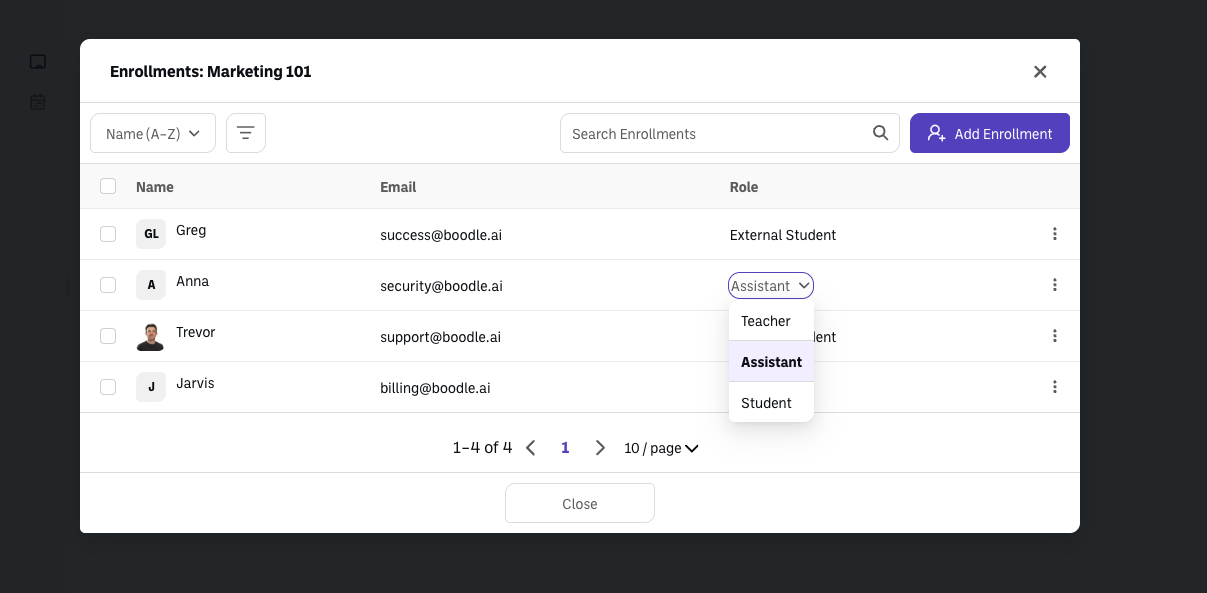
Set their role to Teacher or Assistant. If they're already in your workspace, you'll be able to pick their role directly. Anyone you invite who isn't already in your workspace is enrolled as an External Student instead — they'll need a workspace account before you can make them a co-teacher or Assistant.
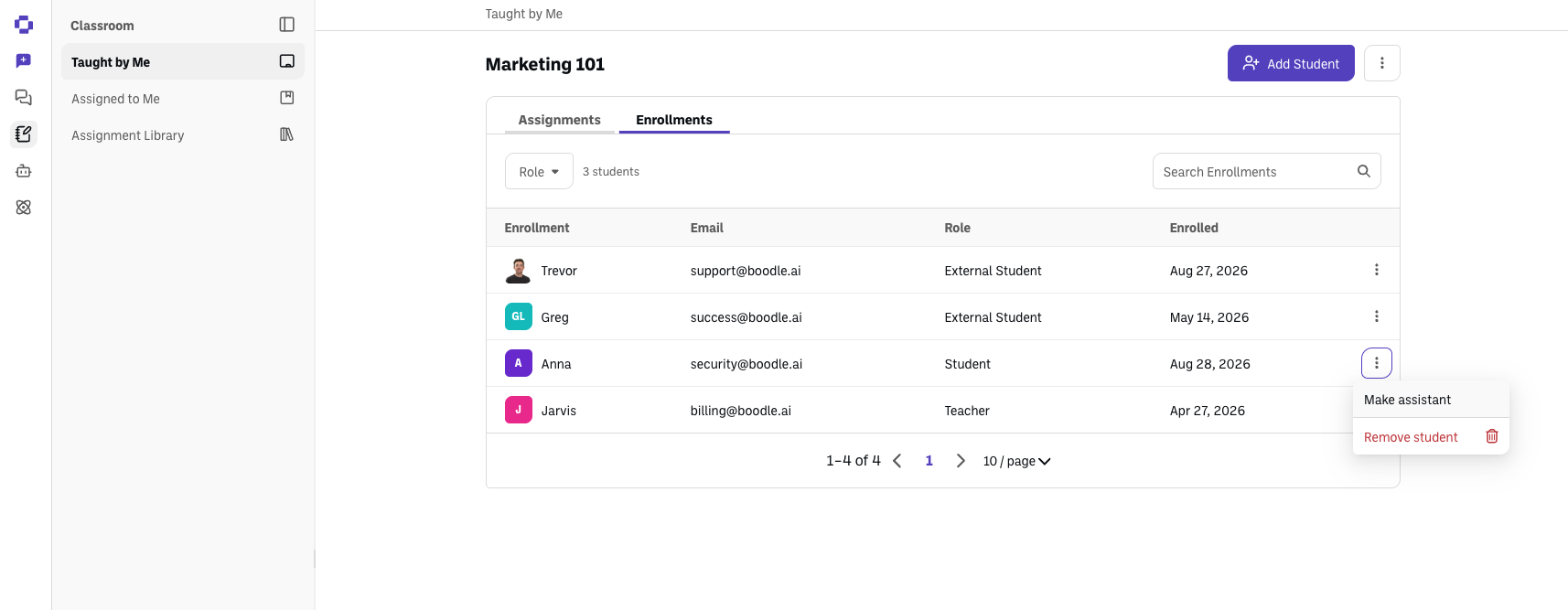
Any teacher, class creator, or existing teaching assistant can do this on their own class — Admin or Owner access is not required.
Prefer the admin route instead?
Workspace Owners and Admins can add a co-teacher or Assistant to any class — not just their own — from Workspace Settings → Classes → [class] → Enrollments.
Good to know
Your workspace Admin can turn off teacher-managed enrollment in Workspace Settings → Access Control → Allow teacher-managed class enrollment. If you don't see an Enrollments tab on your class, ask your admin.
A co-teacher's access follows the class, not a workspace-wide setting — removing them from Enrollments removes their access to that class only.
Verify it's working
The person appears in the class's Enrollments tab with the Teacher or Assistant role, and the class appears for them under Taught by Me (Teacher) or their equivalent view (Assistant).
Still stuck?
Reach out through our contact form and we'll get back to you.