
How to cancel your subscription
Goal
Cancel your BoodleBox subscription.
First: check which subscription you're cancelling
You can hold two separate subscriptions — one on your personal account and one on a team workspace. They're independent, so cancelling one leaves the other running.
To cancel… | Go to |
|---|---|
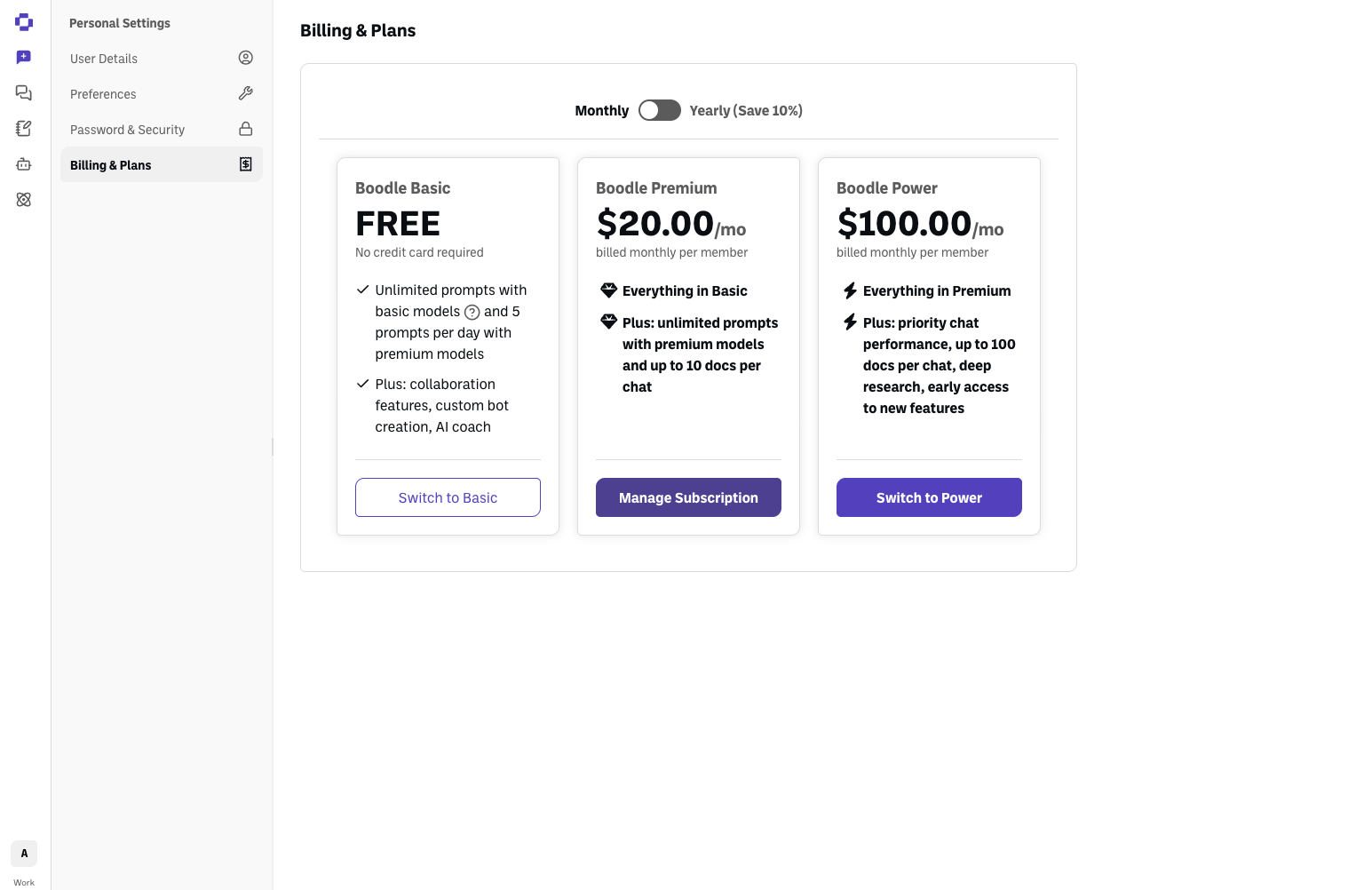
Your personal subscription | Personal Settings → Billing & Plans |
Your team's subscription | Workspace Settings → Billing |
If you're cancelling because you just set up a team workspace, it's your personal subscription you want to cancel — a team plan already includes a seat for you, so the personal one is redundant.
Quick path
Click your initials (bottom-left) and go to the right billing page for the subscription you're cancelling.
Click Manage Subscription.
Follow the prompts to cancel.
Step-by-step
Open the right billing page. Click your initials at the bottom-left. For your personal subscription, choose Personal Settings → Billing & Plans. For a team subscription, switch into that workspace, then click your workspace name under Workspace Settings and choose Billing.
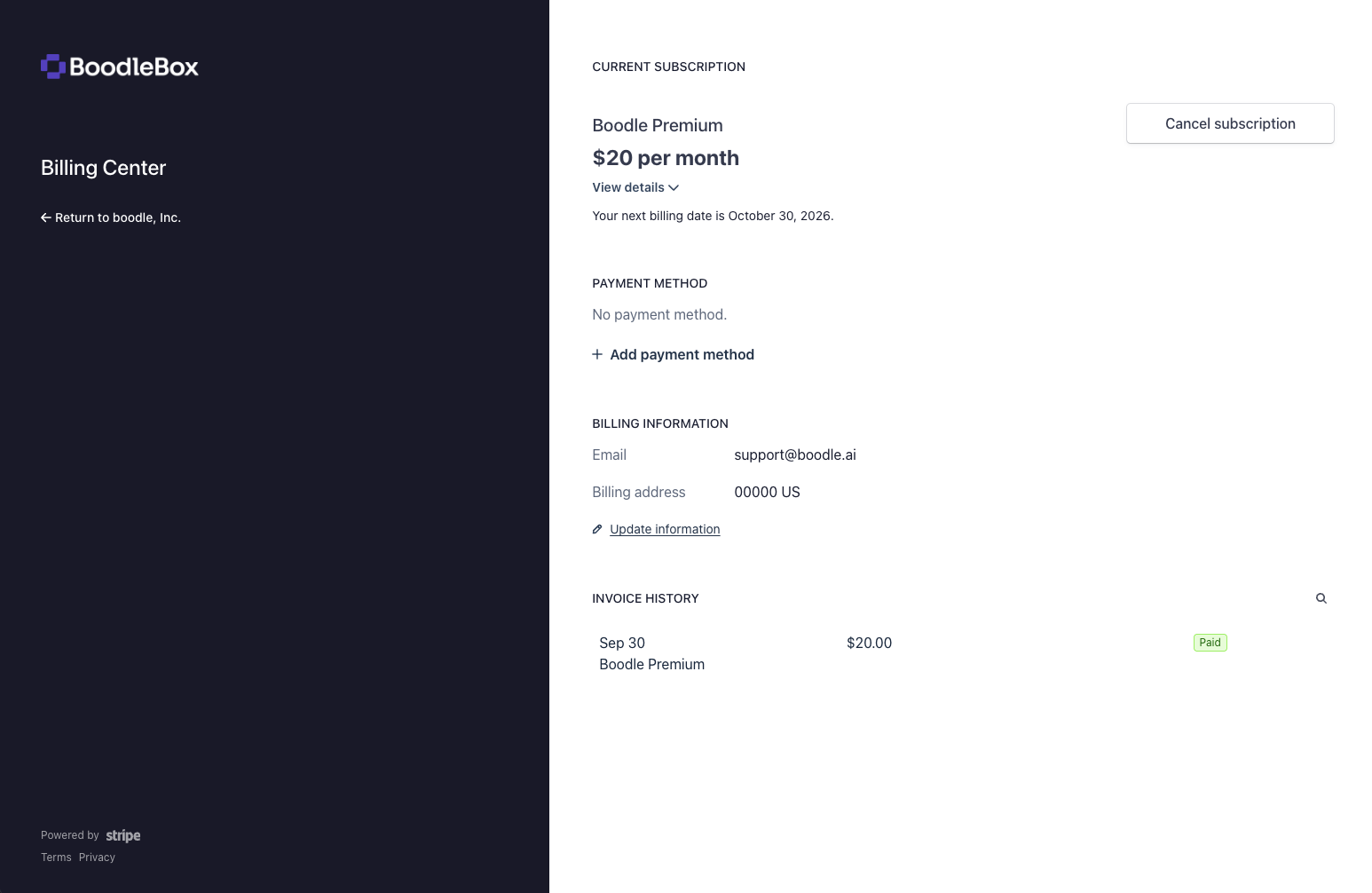
Click Manage Subscription. This opens your billing portal (powered by Stripe). It only appears on a paid plan — if you don't see it, you're on the free Boodle Basic plan and there's nothing to cancel.
Click Cancel subscription in the billing portal (top-right, next to your current plan), then confirm. Your plan stays active until the end of the current billing period.
Verify it's working
The billing page you cancelled on shows the subscription as canceled or set not to renew.
If you cancelled a personal subscription while keeping a team plan, check both pages so you know exactly which subscriptions are still active.
Still stuck?
If you don't see the option, or you're on an institutional plan, reach out through our contact form — typical response within 8 business hours. For refunds, see Refund Policy.
Cancelling isn't the same as deleting your account: your account and data stay. To delete everything, see How to delete your account.