
Semester pricing for Boodle Premium
Goal
Understand the Semester billing option available to students with a .edu email on Boodle Premium, how it compares to Monthly and Annual, and what to expect when it renews.
Who sees this
The Semester option only applies to accounts signed up with a .edu email. A couple of things to know:
It does not appear if your account uses a non-.edu email — those accounts see Monthly and Annual only.
It's not available on Boodle Power — Power isn't offered as an option on a student account at all, only Basic and Premium.
Quick path
Click your initials (bottom-left) → Personal Settings → Billing & Plans.
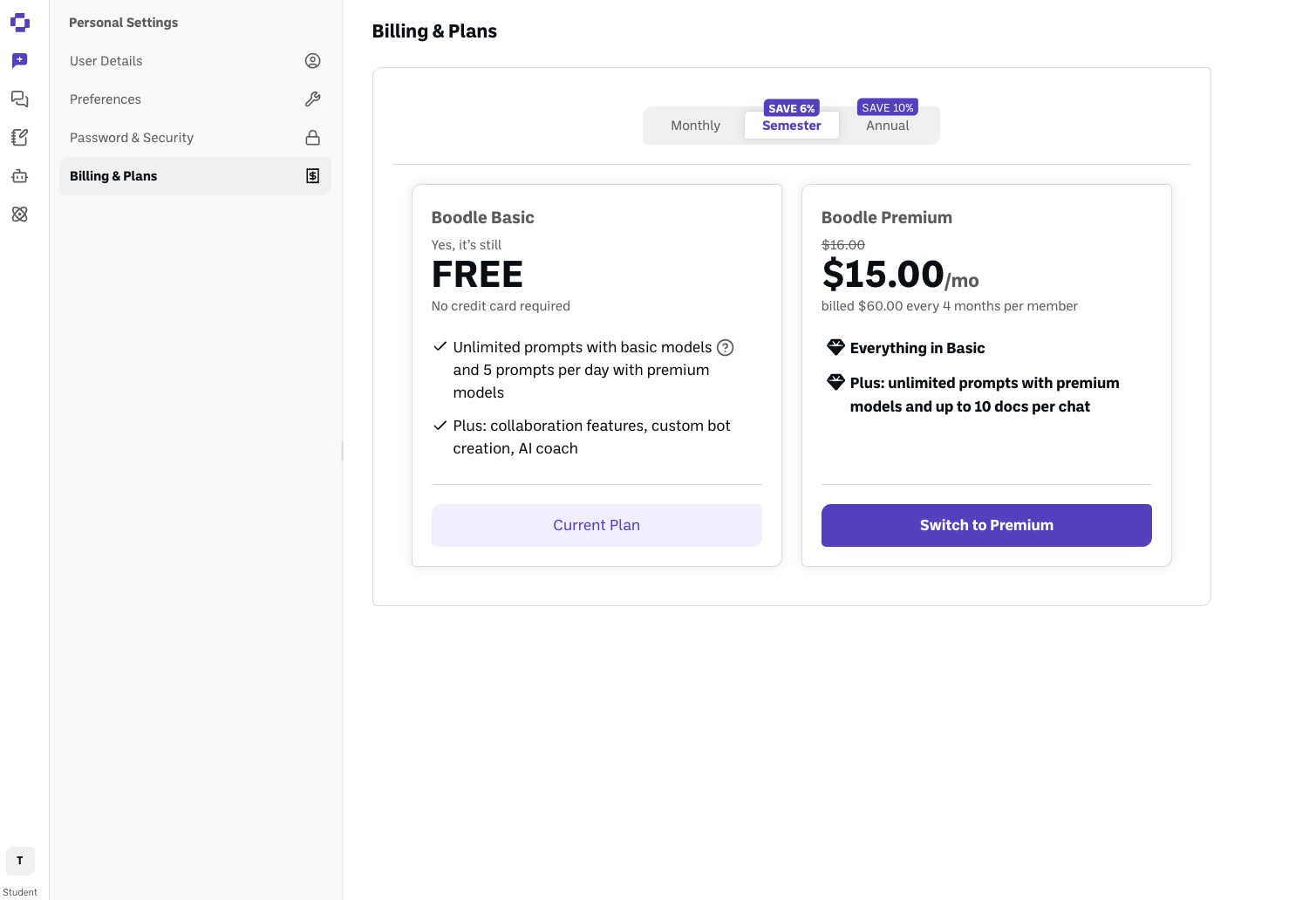
If your account email ends in .edu, you'll see three tabs above the plan cards: Monthly, Semester, and Annual.
Click Semester to see the per-semester rate, then Switch to Premium.
The billing cycles (education pricing)
Cycle | Price | Billed as |
|---|---|---|
Monthly | $16.00/mo | Charged every month |
Semester (Save 6%) | $15.00/mo | Charged $60.00 every 4 months |
Annual (Save 10%) | $14.00/mo | Charged $168.00 once a year |
These rates already reflect the .edu discount — the standard (non-.edu) Premium rate is $20/mo, and Semester/Annual aren't offered outside of .edu accounts.
How renewal works
Semester billing auto-renews like any other BoodleBox subscription — at the end of each 4-month period, you're charged again for the next semester unless you cancel first. It does not automatically stop at the end of a school term, so if you don't plan to keep Premium (for example, you're graduating or taking time off), cancel before the renewal date rather than assuming it lapses on its own. See How to cancel your subscription.
Verify it's working
The Semester tab is selected and highlighted.
Boodle Premium's card shows $15.00/mo with the "billed $60.00 every 4 months per member" note beneath it.
Still stuck?
If you don't see the Semester or Annual tabs and you're using a .edu email, reach out through our contact form so we can check your account. (See also How to manage your plan & seats and How to upgrade your plan.)