
How to change your email address
Goal
Update the email address on your BoodleBox account — most commonly to switch from a personal email to your organization or institution email, so your account connects to the proper workspace, SSO, and roster.
Before you start
You'll need access to both accounts: your current BoodleBox login, and the inbox of the new email address (a verification code is sent there).
Use the exact email you want to change to — the one in your school's roster or identity provider. An exact match is what links your account to your team and SSO; a variation or alias can leave you unprovisioned.
If your institution uses SSO and you already ended up with two accounts (personal + school), don't change the email yourself — reach out through our contact form and we'll assist.
Steps
Log in to BoodleBox using your current (personal) email address and password.
Click your avatar (or initials) in the bottom-left corner to open the account menu.
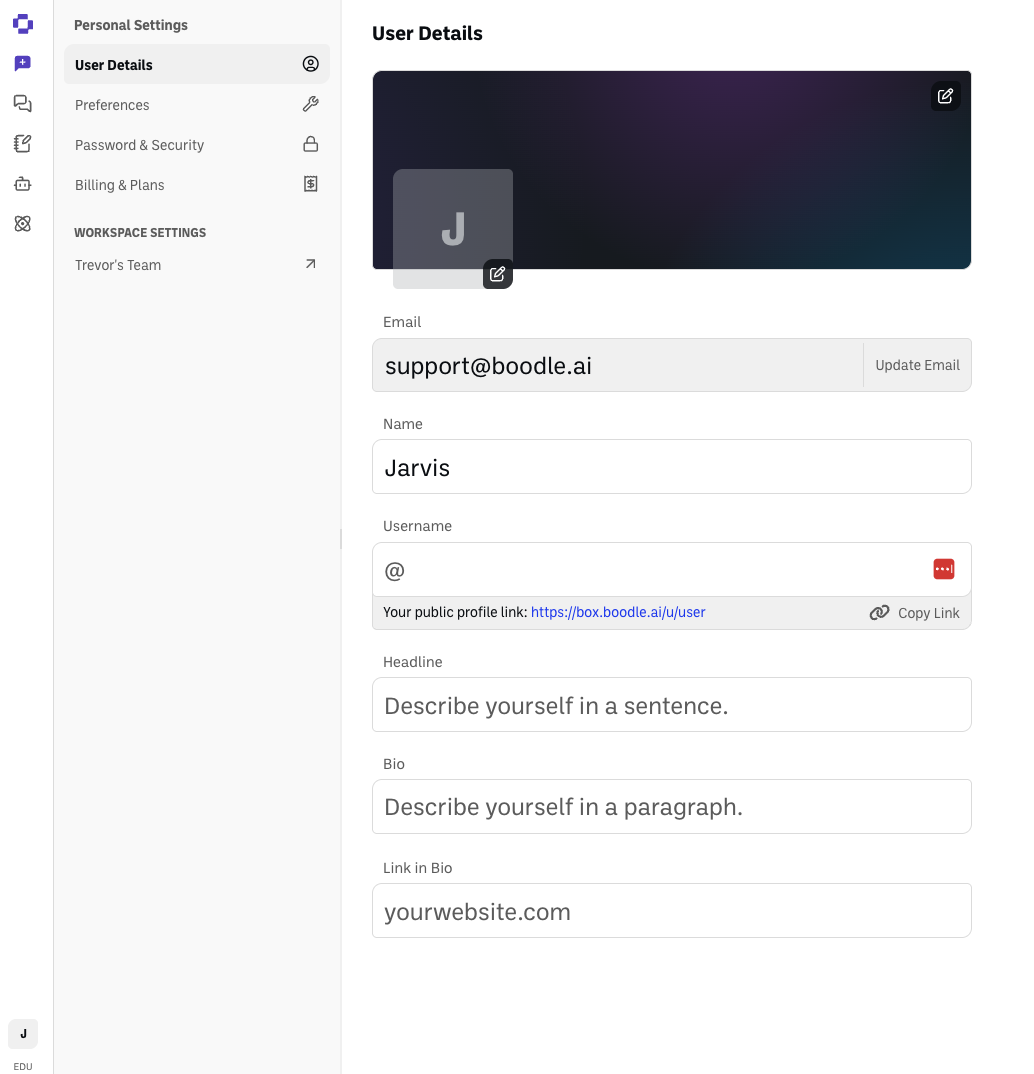
Click "Personal Settings," then open the "User Details" tab.
Find the field showing your current email address and click "Update Email" next to it.
Enter your new institutional email address in the field provided.
Click "Send verification code."
Check your institutional email inbox for a verification email from BoodleBox.
Open the verification email and follow the instructions (usually clicking a verification link) to confirm your new email address.
Done. Your BoodleBox account now uses your institutional email — use it to log in from now on. Your chats and work stay intact.
Common issues
The verification email never arrives → check spam/junk, confirm you typed the address correctly, and try Send verification code again.
You changed the email but still can't access your team → your institution's roster may list a different address, or the next sync hasn't run yet. Ask your BoodleBox admin to confirm the exact email on the roster.
You signed in with SSO and a new, empty account appeared → the SSO email didn't match your existing account's email. Reach out through our contact form and we'll assist.
Still stuck?
Reach out through our contact form — typical response within 8 business hours.