
How to manage your plan & seats
Goal
See your current plan, switch plans, adjust how many seats you have, and manage your subscription.
First: there are two separate billing pages
Billing lives in two places, and they bill separately:
| You want to manage… | Go to | What it's called |
|---|---|---|
| Your team's plan and seats | Your workspace | Workspace Settings → Billing |
| Just your own individual plan | Your personal account | Personal Settings → Billing & Plans |
Your settings sidebar shows both: your Personal Settings pages, and a Workspace Settings group listing any team workspace you belong to.
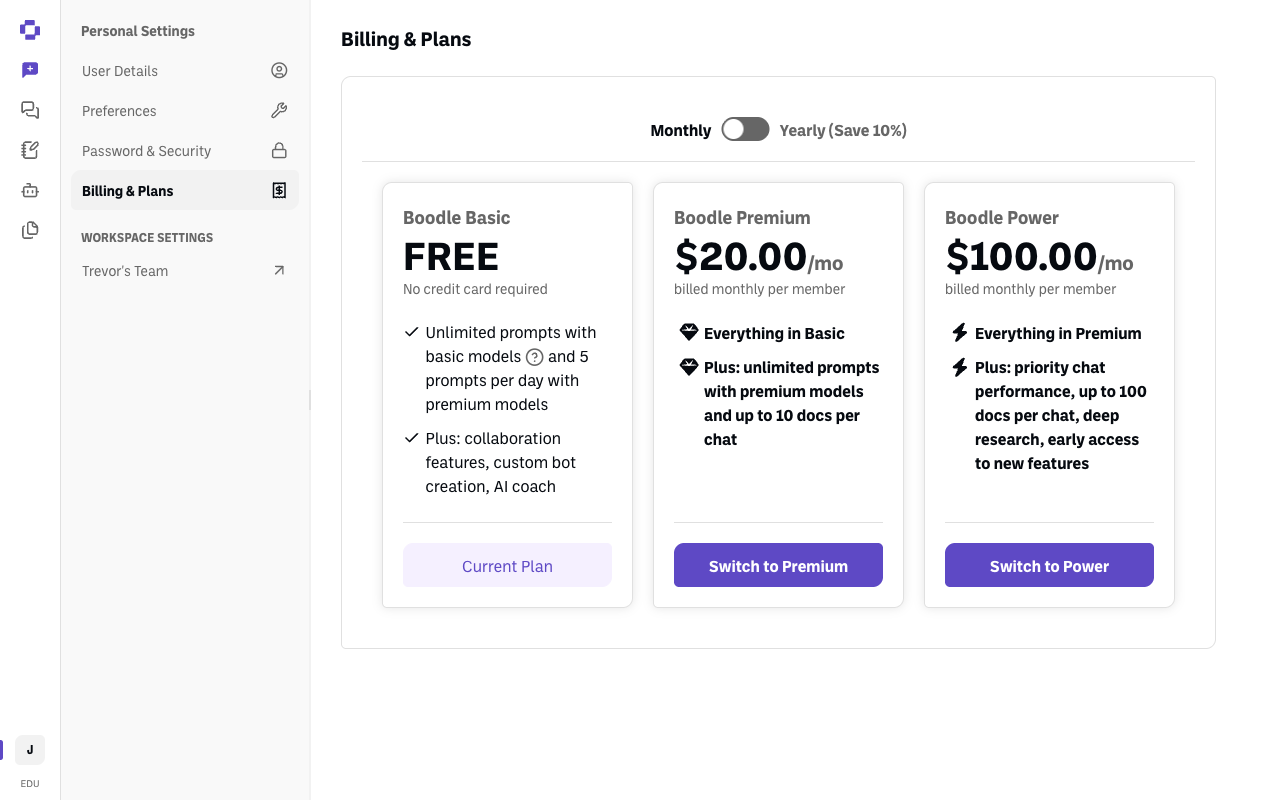
Seats only exist on a team workspace. If you're managing a team, you want Workspace Settings → Billing — and you'll need to be the workspace Owner or an Admin.
⚠️ A team plan already includes a seat for you. So if your personal account is also on a paid plan, that subscription is redundant once your team workspace is set up — cancel it. See How to cancel your subscription.
Quick path
- Click your initials (bottom-left) and switch to your team workspace.
- Go to Workspace Settings → Billing.
- Compare plans and Switch to … if you want to change.
Step-by-step
Open Workspace Settings → Billing. Click your initials at the bottom-left, switch to your team workspace if you aren't already in it, then click your workspace name under Workspace Settings and choose Billing.
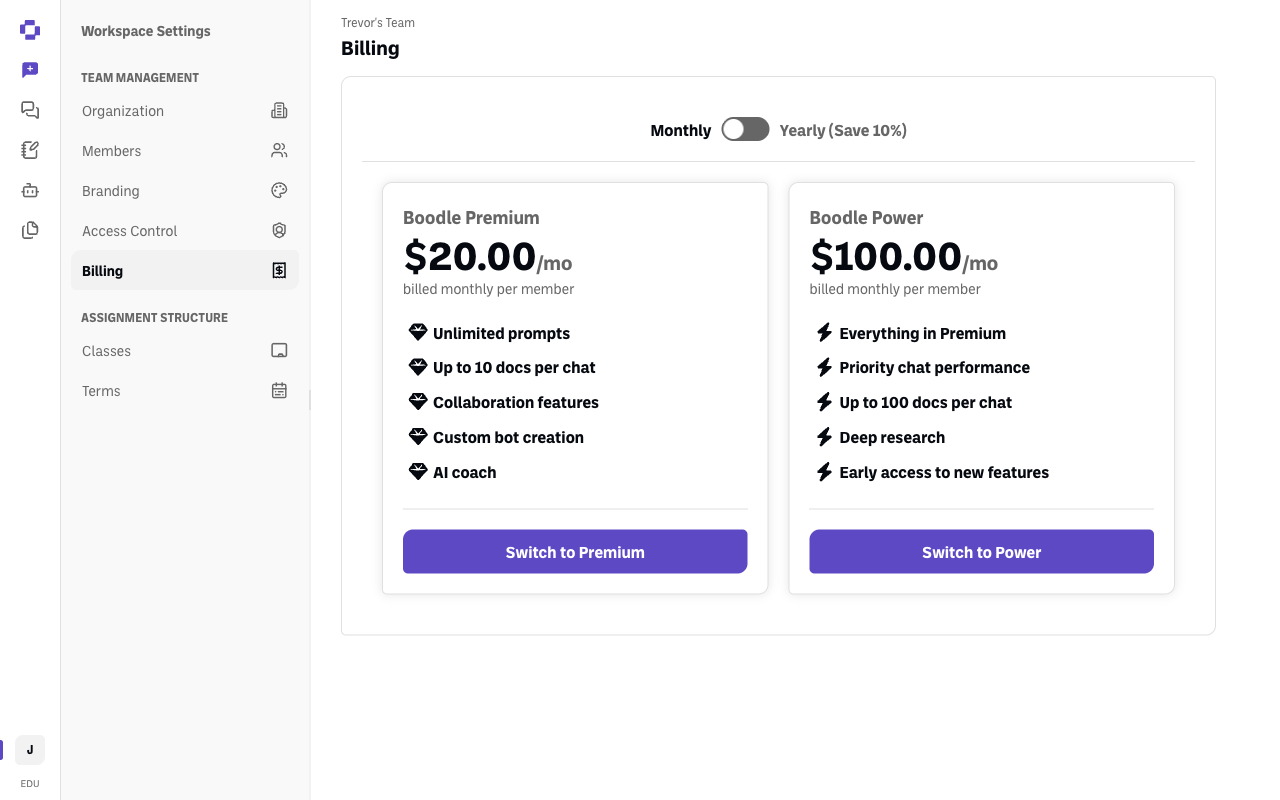
Find your current plan. It's the card whose button is greyed out and reads Current Plan. The plans you're not on have an active Switch to … button instead.
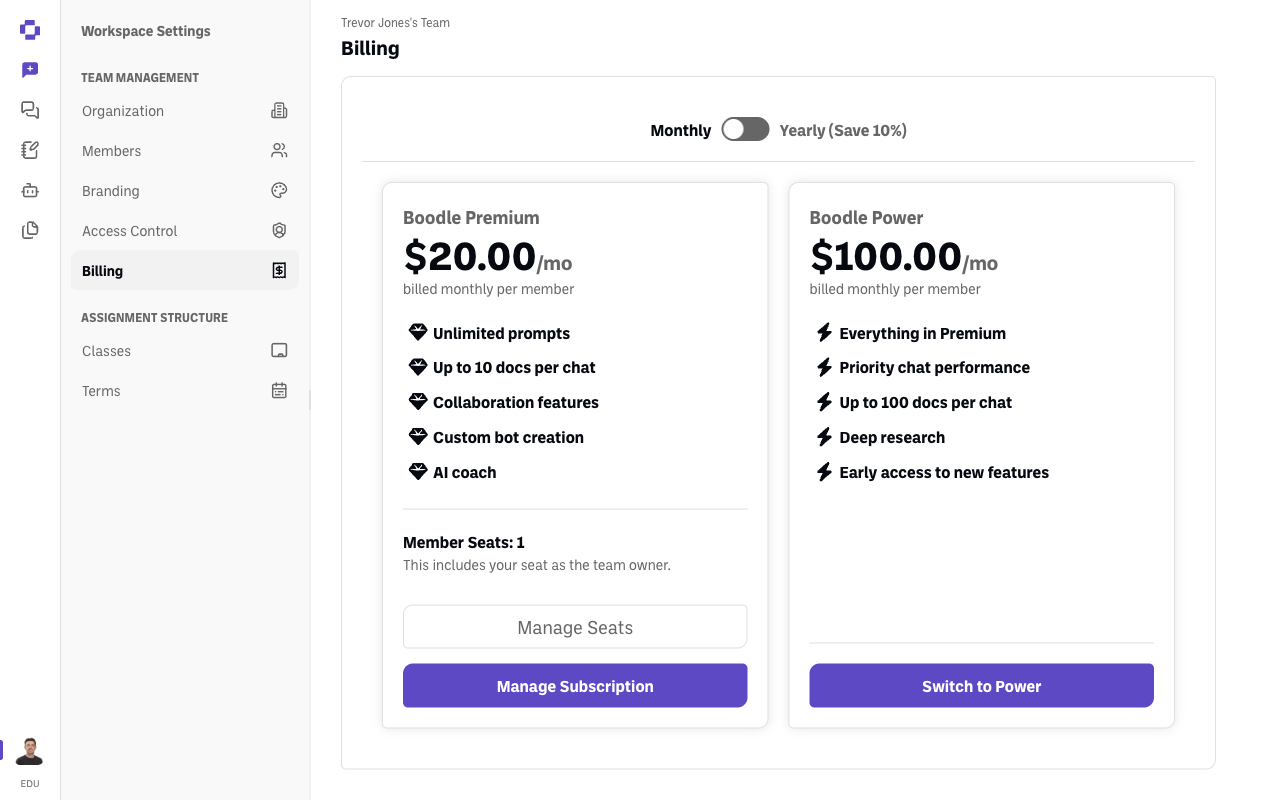
On a paid team plan, the current plan's card looks different: instead of a button, it shows your Member Seats count with Manage Seats and Manage Subscription beneath it.
Change plans by clicking Switch to … on the plan you want.
Choose a billing cycle. Toggle between Monthly and Yearly using the Annual plan pricing switch — Yearly (Save 10%).
Adjust seats and billing. Use Manage Seats to add or change member seats, and Manage Subscription for payment and billing details.
The plans
| Plan | Price | What you get |
|---|---|---|
| Boodle Basic | Free, no credit card required | Unlimited prompts with basic models, 5 prompts per day with premium models, up to 10 docs per chat and 30 Knowledge files per bot, plus collaboration features, custom bot creation, and AI coach |
| Boodle Premium | $20.00/mo per member — $16.00 for education | Everything in Basic, plus unlimited premium-model prompts |
| Boodle Power | $100.00/mo per member | Everything in Premium, plus priority chat performance, up to 100 docs per chat and 100 Knowledge files per bot, deep research, and early access to new features |
Prices shown are monthly; yearly billing saves 10%. The Basic plan card has a List of Basic Models button if you want to see exactly which models are included.
Education pricing: if your account's email ends in .edu, the discounted $16/user/month rate for Premium is applied when you upgrade — you don't need to ask for it or enter a code. .edu accounts also get a Semester billing cycle — see Semester pricing for Boodle Premium.
"Boodle Unlimited" was renamed to Boodle Premium. Same plan, new name — so if you're looking at an older invoice, help article, or email that says Unlimited, that's Premium.
Verify it's working
- Your plan's card has a greyed-out Current Plan button; the others say Switch to ….
- On a paid team plan, the Member Seats count reflects any changes you make.
Still stuck?
Your Member Seats count includes your own seat as the workspace owner. Reach out through our contact form and we'll get back to you. (See also How to manage your team & users.)