
How to use your Knowledge Bank
Goal
Store files — PDFs, documents, spreadsheets, images — so the AI can read and use them. Upload a file once, then attach it to any chat.
Quick path
- Open the Knowledge Bank from the left navigation.
- Click Upload Files and add your files.
- Organize with folders and find files with search.
Step-by-step
-
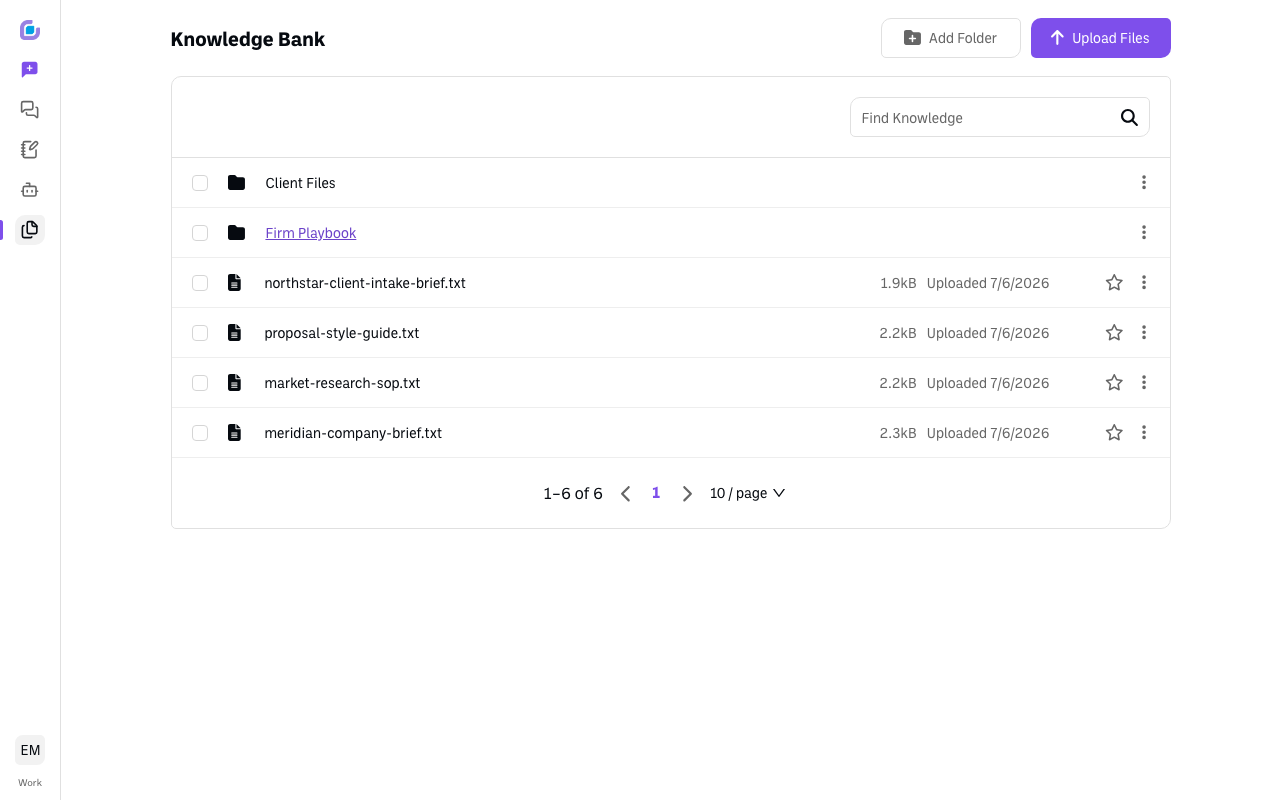
Open the Knowledge Bank. You'll see your files, a search box, and buttons to Upload Files and Add Folder.
-
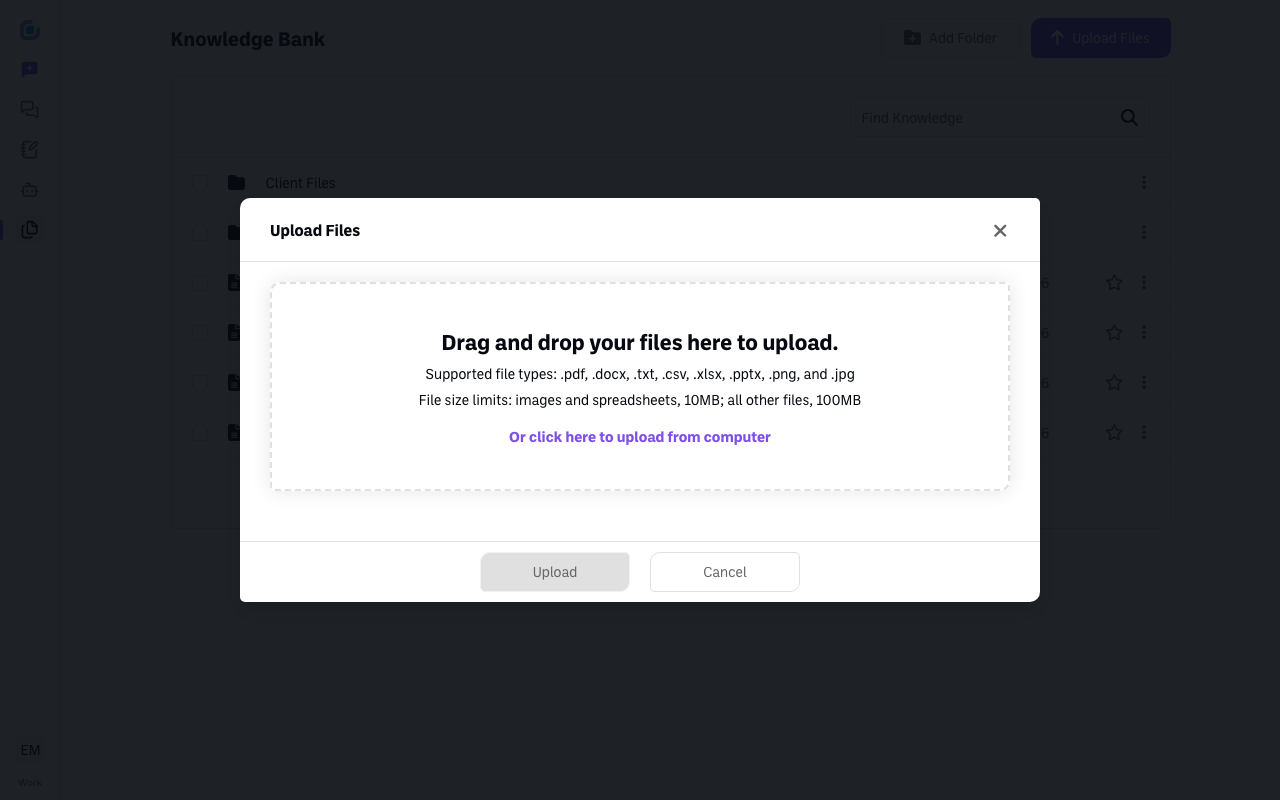
Click Upload Files. Drag your files into the box, or click to choose them from your computer. Supported types: .pdf, .docx, .txt, .csv, .xlsx, .pptx, .png, .jpg (images and spreadsheets up to 10MB, other files up to 100MB).
-
Organize and find. Use Add Folder to group related files, and Find Knowledge to search.
Verify it's working
- After upload, the file appears in your list (it's analyzed first, with a progress indicator).
Still stuck?
Star a file to auto-attach it to every new chat — handy for a style guide or syllabus. Email success@boodle.ai — typical response within 8 business hours. (See also How to attach knowledge to a chat.)