
How to share bots with others
Goal
Let other people use your custom bot — or let them make their own copy of it.
Quick path
- Publish the bot.
- Share its link:
box.boodle.ai/a/@YourBotName. - (Optional) Turn on Allow Remix so others can fork their own copy.
Step-by-step
-
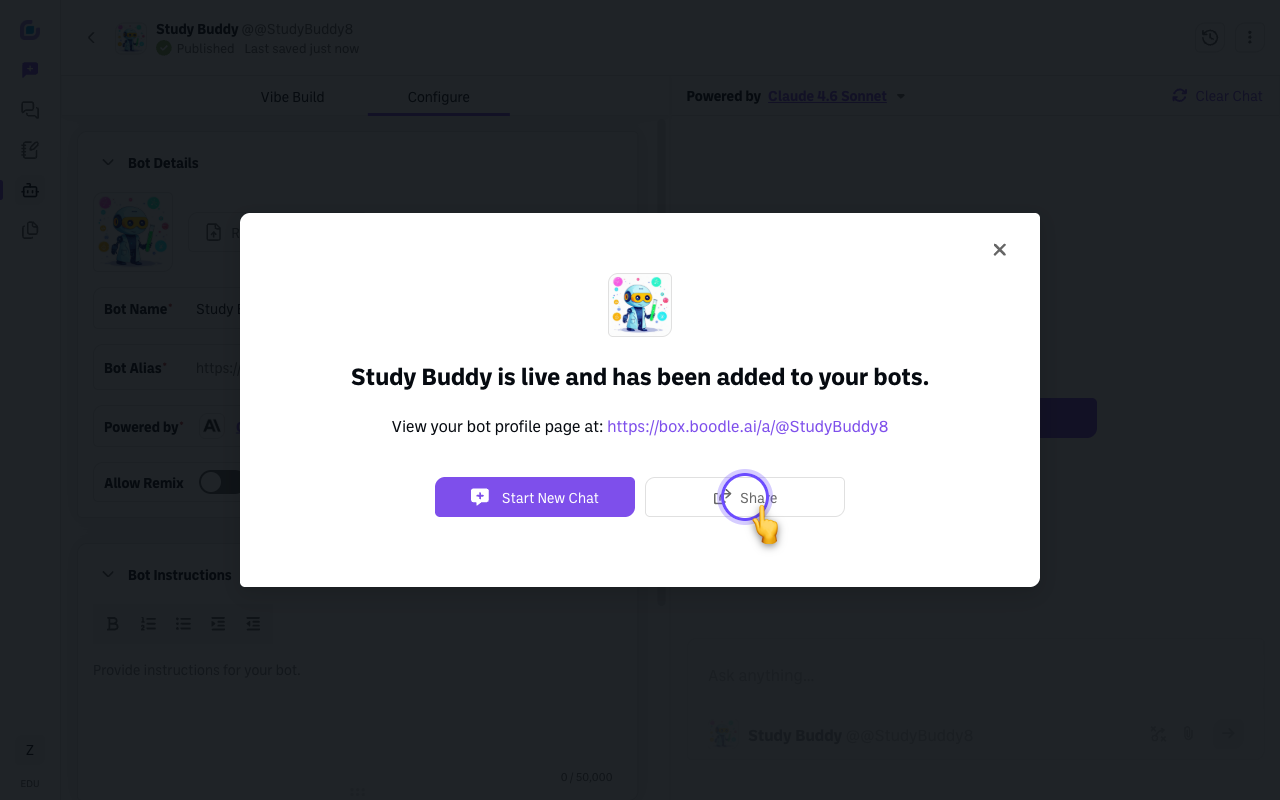
Publish the bot. In Bot Builder, click Publish. A confirmation appears — "[Bot] is live and has been added to your bots" — with your bot's profile link and a Share button. (Publishing makes the bot available in your account; it doesn't post it publicly.)
-
Share the link. Every bot has a direct link in the form
box.boodle.ai/a/@YourBotName— you'll also find it as the Bot Alias in Configure → Bot Details once the bot is published. Click Share (or copy the link) and send it directly or via email/social. For people outside your team, always share the direct link — library visibility and link access are separate settings, and the link works reliably. -
Heads up: everyone needs an account. Anyone you share with must sign in to BoodleBox (a free account is fine) before they can chat with the bot. There's no anonymous use.
Which model powers the bot matters for sharing
- A bot powered by a free model can be used unlimited by anyone, including free-plan users.
- A bot powered by a premium model counts against each free user's 5 premium messages/day.
- Tip for instructors: if your students are on the free plan, power your bot with a free model so they aren't burning their daily premium quota on it.
Let others remix it (optional)
To let people fork their own editable copy instead of just using yours:
-
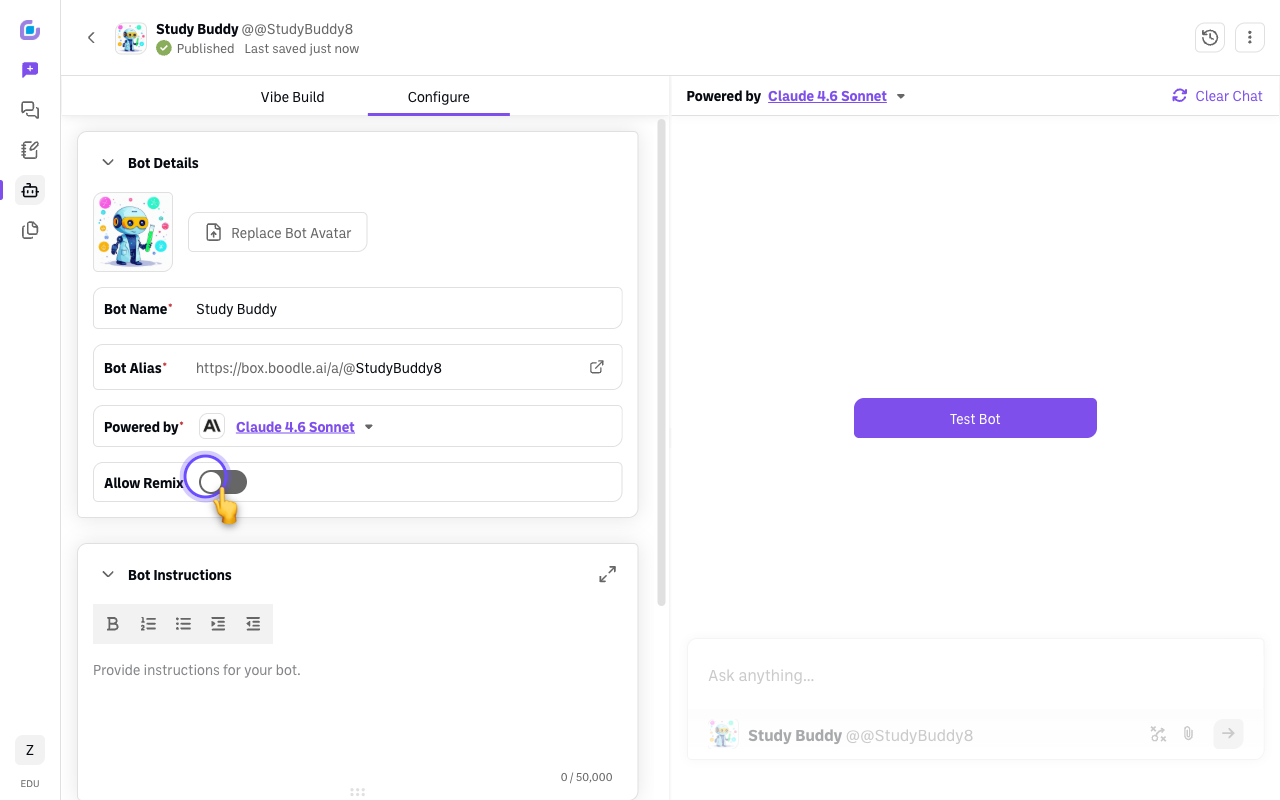
In Configure → Bot Details, turn on Allow Remix and publish.
-
They open the bot's profile, click the three-dot menu next to "Start New Chat," and choose Remix Bot — a copy lands in their account to customize.
Share vs. Remix: Share = others use your bot as-is. Remix = others fork it into a personal copy they can edit.
For the full walkthrough — including what does and doesn't carry over to a copy — see Remixing Custom Bots.
Questions?
Email success@boodle.ai — typical response within 8 business hours.