
How to upgrade your plan
Goal
Move off the free plan so you get unlimited access to premium AI models.
The plans
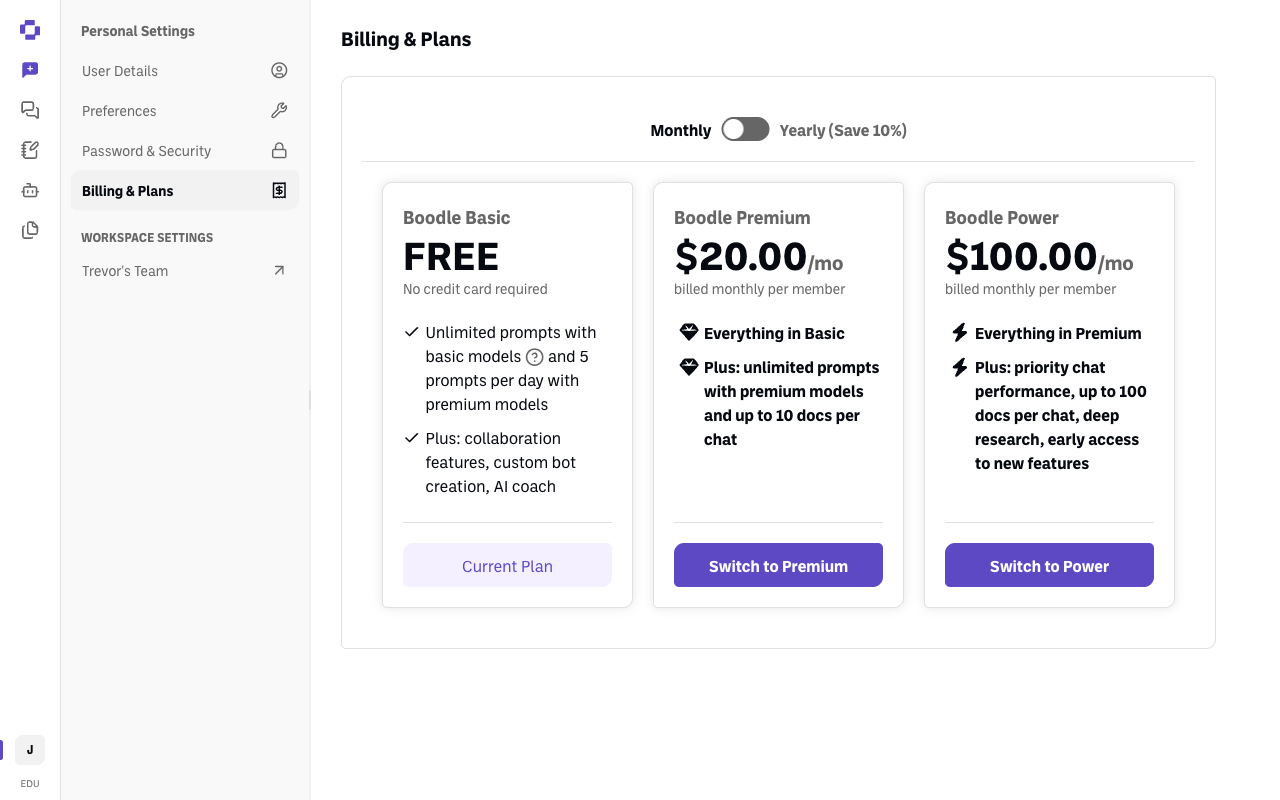
| Plan | Price | What you get |
|---|---|---|
| Boodle Basic | Free, no credit card required | Unlimited prompts with basic models, 5 prompts per day with premium models, plus collaboration features, custom bot creation, and AI coach |
| Boodle Premium | $20.00/mo per member — $16.00 for education | Everything in Basic, plus unlimited premium-model prompts and up to 10 docs per chat |
| Boodle Power | $100.00/mo per member | Everything in Premium, plus priority chat performance, up to 100 docs per chat, deep research, and early access to new features |
Yearly billing saves 10%. Most people upgrading from free want Boodle Premium.
If you're at a school, you get the education rate automatically
Premium is $16/user/month instead of $20 when your account's email ends in .edu. The discount is applied when you upgrade — there's no code to enter and nothing to ask for. If you're using a .edu address, just upgrade normally and you'll be charged the education rate.
If you're at an institution but your account uses a non-.edu address, the discount won't apply on its own — email success@boodle.ai before you upgrade.
"Boodle Unlimited" was renamed to Boodle Premium. Same plan, new name, so an older article or invoice mentioning Unlimited is referring to Premium.
First: decide which one you're upgrading
This is the step people most often get wrong. You have a personal account and possibly a team workspace, and each has its own separate subscription:
| Upgrade this | Where | When you want it |
|---|---|---|
| Your personal account | Personal Settings → Billing & Plans | Just you. You can't add anyone else to a personal account |
| Your team workspace | Workspace Settings → Billing | You're covering other people too |
⚠️ A team workspace already includes a seat for you. So if your personal account is also on a paid plan, you no longer need it — cancel that subscription once your team workspace is set up. See How to cancel your subscription.
Quick path
- Click your initials (bottom-left) and make sure you're in the account or workspace you want to upgrade.
- Open Billing & Plans (personal) or Workspace Settings → Billing (team).
- Choose Monthly or Yearly, then click Switch to Premium.
Step-by-step
-
Check which account you're in. Click your initials at the bottom-left — the workspace with a check mark next to it is where you are. If that isn't the one you mean to upgrade, click the one you want.
-
Open the right billing page. For yourself, click Personal Settings → Billing & Plans. For your team, click your workspace name under Workspace Settings, then Billing.
-
Pick a billing cycle. Use the Annual plan pricing switch to move between Monthly and Yearly (Save 10%).
-
Click Switch to Premium (or Switch to Power) and confirm.
Verify it's working
- Your chosen plan's card now has a greyed-out Current Plan button instead of Switch to ….
- Premium-model prompts stop hitting the 5-per-day limit.
Still stuck?
Individual subscriptions are billed via Stripe. Institutional pricing for a school, district, or organization — bulk seats, invoicing, purchase orders — is handled by the team, so email success@boodle.ai rather than upgrading seat by seat. (See also How to manage your plan & seats.)