
How group assignments work
Goal
Understand how group assignments work in Classroom, who can do what, and where to go next.
Watch the walkthrough
Prefer to watch? This 4-minute walkthrough shows how to enroll students and set up group assignments.
What a group assignment is
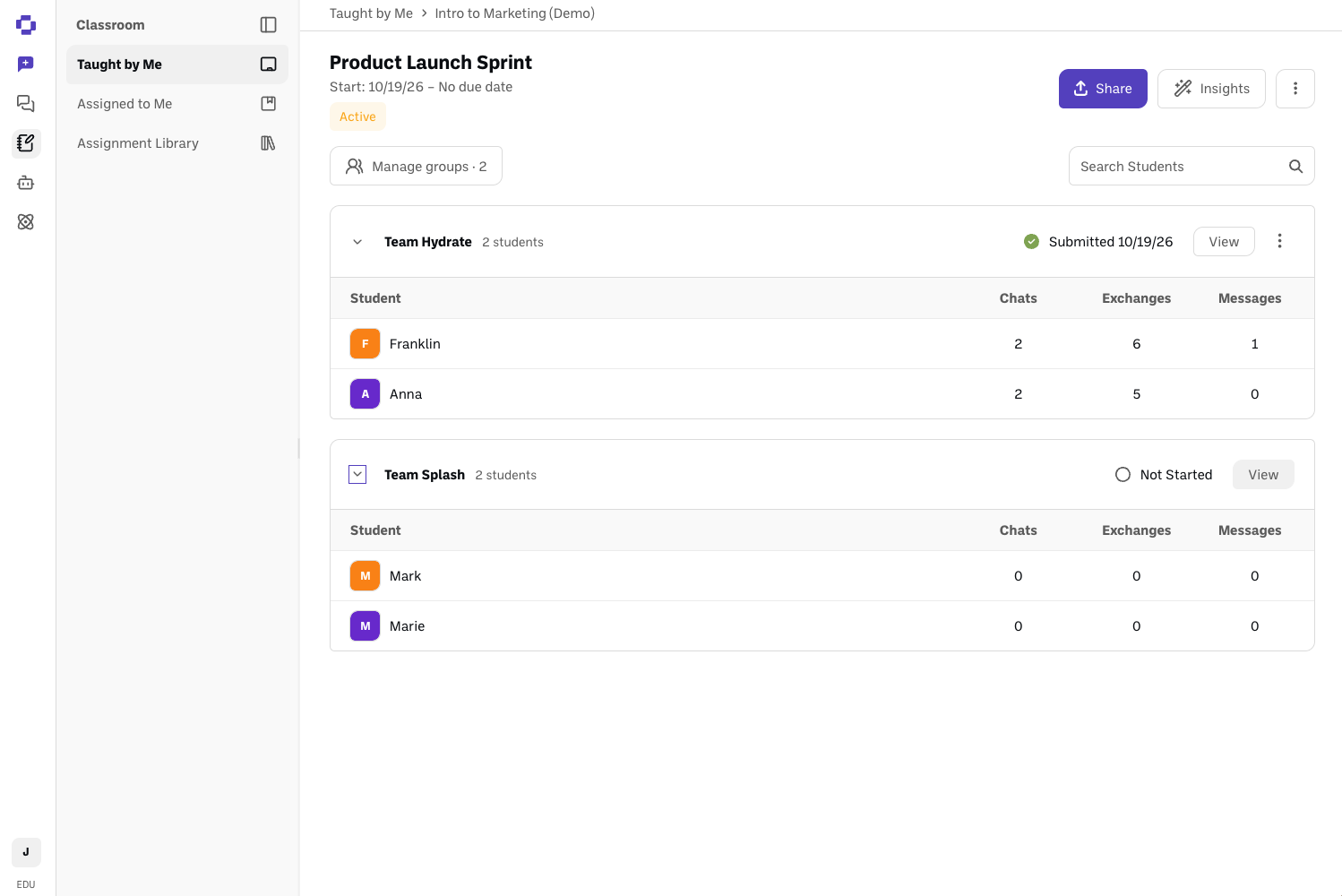
A group assignment turns one Classroom assignment into shared work for a small team of students. Each group works together in shared chats and turns in one submission for the whole group.
Groups belong to one assignment. There's no class-wide group list. Each assignment gets its own groups, and you can copy groups from one assignment to another when you want the same teams again.
How it's different from a regular assignment
You turn it on per assignment. Create the assignment first, then set up groups for it. It isn't a class setting.
The submission belongs to the group. Any member can click Submit, and it counts for everyone. There's no designated submitter.
Chats are shared. Any chat a group member starts is visible to the whole group, and anyone in the group can post in it. Only the person who started a chat can delete it.
Only students go in groups. Teachers and Assistants are never placed in a group.
Teachers and Assistants can see and post in every group's chats.
Who can do what
Teachers and Assistants can set up groups, move and remove students, reshuffle groups, and delete all groups. They can also review every group's chats, post in them, and reopen a group's submission. Assistants have the same group controls as Teachers.
Students are placed in one group per assignment. They work in their group's shared chats and can submit for the group.
For more on roles, see Understanding classroom roles in BoodleBox.
The basics, in order
Create the assignment as usual. See How to create a class and an assignment.
Set up groups for it. See How to set up groups for an assignment.
Adjust groups as students join, leave, or need to move. See How to change groups after setup.
Students work together and submit. Share How to work on a group assignment with your class.
Review the work. See How to review student AI conversations.
Good to know
Removing a student never deletes their work. Their past submissions are kept.
Running group projects in shared folders today? Group assignments are the better fit for graded class work. See Managing group AI projects for when folders still make sense.
Still stuck?
Reach out through our contact form and we'll get back to you.